ClipSafe 1.3 is out today. It is mostly a visual release: the app should now feel like the same product as the website, instead of something built separately.
The old interface had collected a lot of one-off decisions over the last year. Some screens used gradients, some used glows, and similar controls were drawn in different ways depending on where they appeared. This release replaces all of that with one small set of rules.
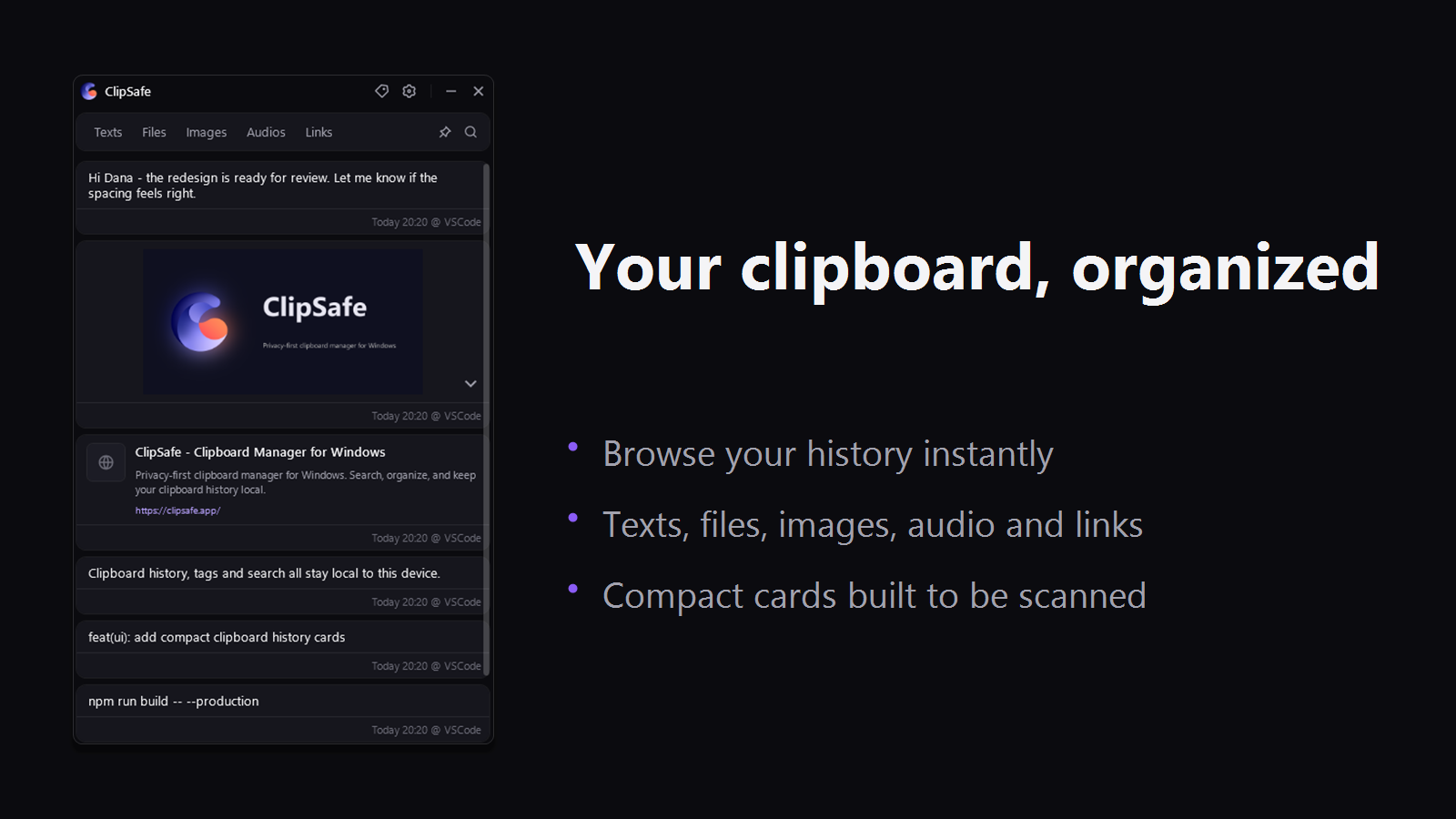
One set of rules
Everything is built from a handful of values. Four neutral surface colours, one violet accent, one pixel borders, and a single type scale. The accent only appears where it means something, like the selected filter, keyboard focus, a pinned item, or the logo. Everything else is grey text on grey surfaces.
Both themes share the same layout and the same greys. Dark mode is near black rather than blue black, and light mode is a plain off white. The accent stays violet in both.
Your workflow has not changed
Nothing moved. The filter tabs, the search row, the pin toggle, the right click menu and the settings panel are all where they were, and they work the same way. The shortcuts are untouched, so Ctrl + Shift + 1 to 9 still copy your nine most recent items from any application.
Clipboard capture, local storage, the tag system and search were not modified. This is a new surface on the same engine.
What changed in the app
- History items are simple cards with a thin border and a quiet footer. Copy, pin and delete appear when you hover.
- Settings use one card per section, with labels on the left and controls on the right.
- The tag editor has a colour palette next to the hex field, with a live preview.
- The deletion manager has more room around each option, and the date pickers are now compact fields instead of full calendars.
- The image viewer has a toolbar with the file name and a close button, plus a hint for zoom and pan.
- Dialogs and the right click menu use the same buttons and inputs as the rest of the app.
- Settings can export everything ClipSafe stores into one compressed file and import it on another PC.
A little lighter to run
Every item in the history list used to draw a drop shadow. With a few hundred items that adds up, so the shadows are gone and borders do that job now. Scrolling should feel smoother on older machines.
Fixes in this release
- Audio items play again from the history list.
- Toggle switches show their off state correctly the first time they are drawn.
- Links without a favicon no longer show an empty box.
Still local
Nothing about privacy changed. There is no cloud, no account and no telemetry. Your history stays in a local database on your PC.
You can update from the Microsoft Store, or download ClipSafe if you have not tried it yet.